Talent rosters
Monitor multiple creators or performers while keeping profiles, references, and statuses organized.
For teams managing talent, reputation, and content rights
Guard My Image helps organizations monitor for stolen content, impersonation, fake profiles, AI misuse, and repeat-offender reposts across high-risk sources.
Creator-friendly on the surface. Enterprise-grade underneath: dashboard reporting, status history, roster workflows, and takedown-support documentation.

Built for teams managing risk
Studios, agencies, PR teams, and media companies need more than a one-off search. They need a repeatable workflow for finding misuse, reviewing evidence, coordinating next steps, and showing clients what action was taken.
Monitor multiple creators or performers while keeping profiles, references, and statuses organized.
Track misuse connected to titles, content libraries, premium video, and repeat-offender sources.
Document suspected impersonation, AI-altered imagery, scam pages, and search-visible misuse.
Turn likely findings into URLs, evidence notes, notice status, and reportable outcomes.
Problems we help track
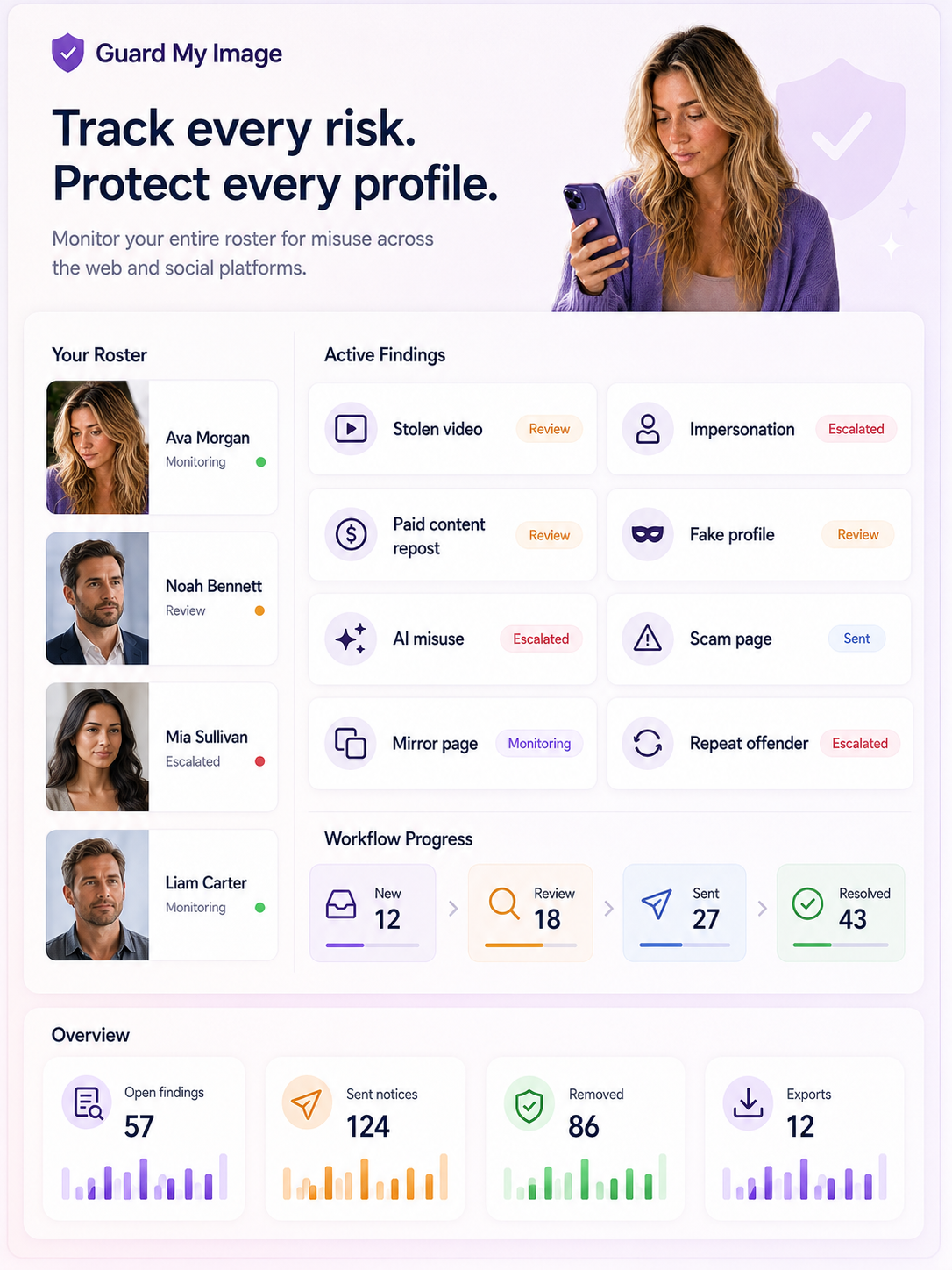
Misuse rarely arrives in one clean category. A stolen thumbnail can become a fake profile. A reposted clip can reappear as a mirror page. An AI-altered image can become a reputation issue before the source is obvious.
Guard My Image gives teams a place to organize those findings by talent, source, severity, status, and next action.
Roster workflow
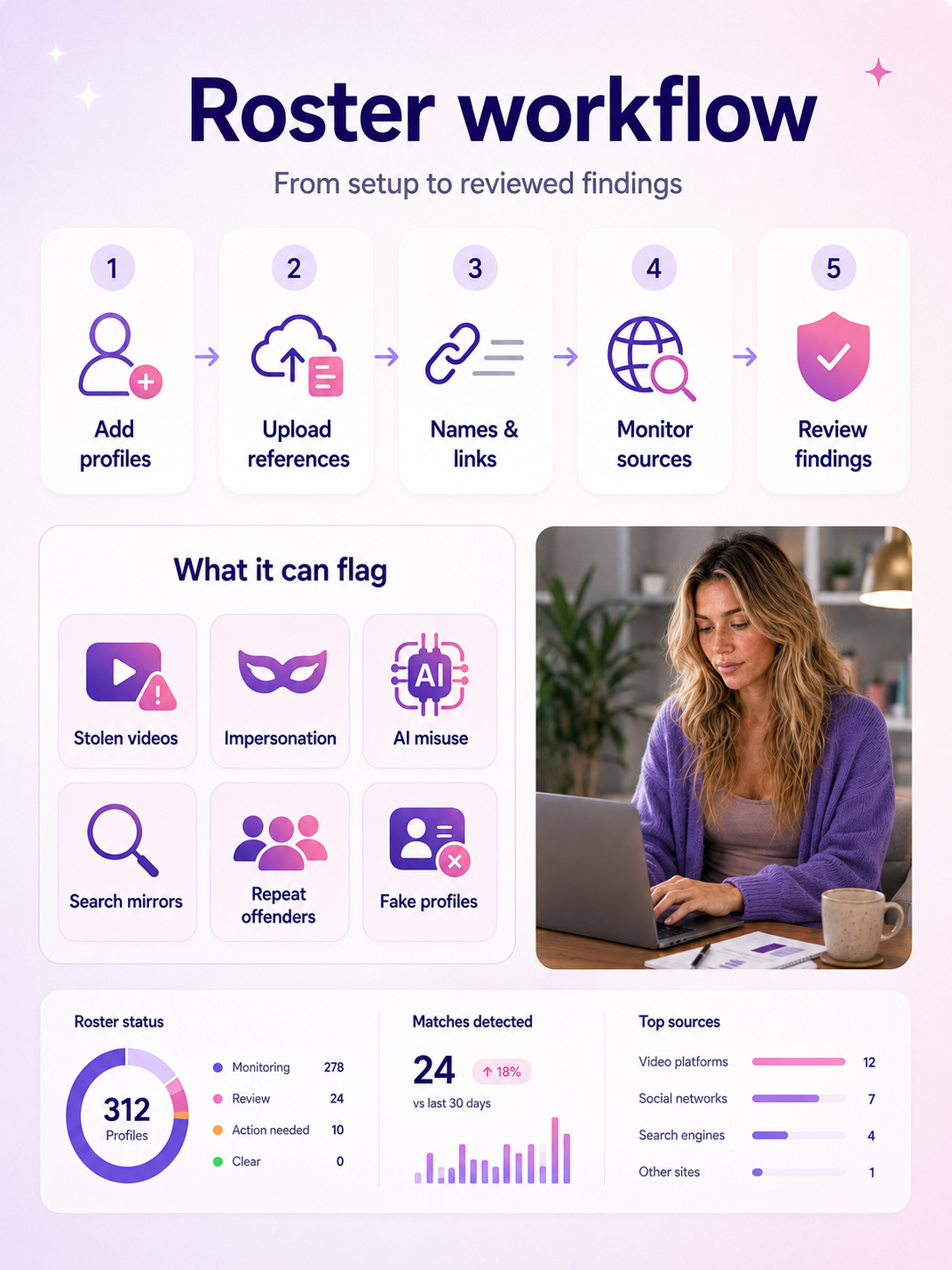
Add approved reference sets, connect stage names and public links, then review findings as they appear.
Create profiles for creators, performers, public figures, titles, or managed accounts.
Upload approved references, stage names, aliases, public links, known problem URLs, and title associations.
As scan cycles run, likely findings are grouped by talent, source, date, status, and severity.
Confirm matches, prepare notices or reports, track responses, and export summaries for clients or internal review.
Reports and pricing
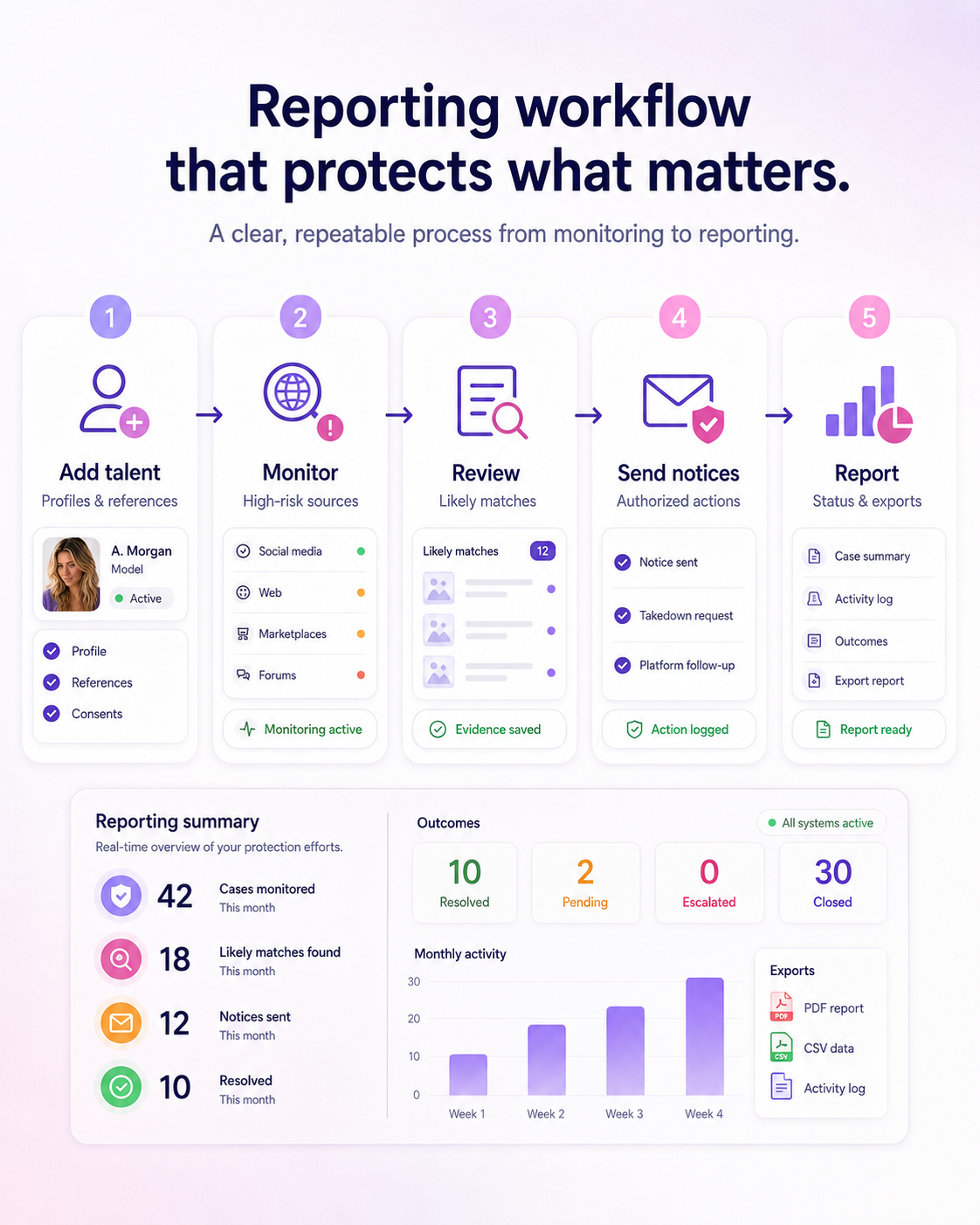
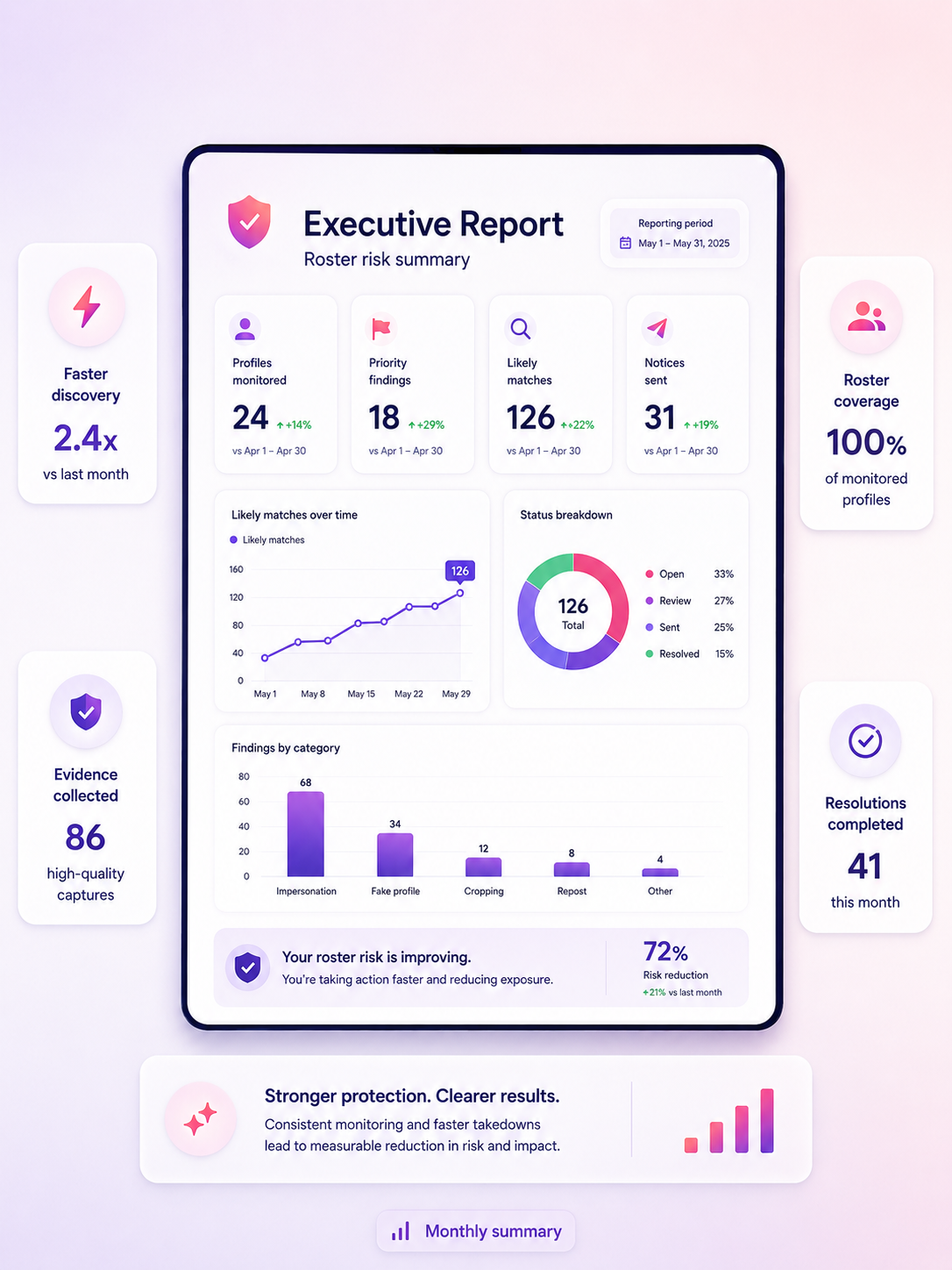
Reports can summarize findings by talent, source, notice status, recurring domain, and open escalation. Business pricing and entitlements are not in the reviewed internal test catalog.
Monthly or campaign-period reporting for leadership, managers, and client check-ins.
See what was found, what was sent, what was removed, and what still needs review.
Identify repeat-offender locations and patterns across a roster or content library.
Keep date-stamped records of findings, notices, responses, and recommendations.
Next step
Book a business demo to review dashboard flows, reporting options, security questions, and pricing for your team.