New findings
Likely matches awaiting customer or reviewer attention.
Private product workflow
Review likely misuse, URLs, evidence notes, takedown status, and next actions without chasing screenshots across emails and spreadsheets.
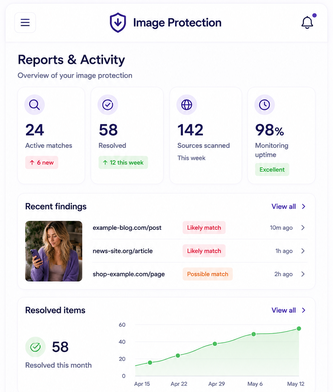
The dashboard is designed to turn vague alerts into organized evidence, review decisions, status tracking, and reports.
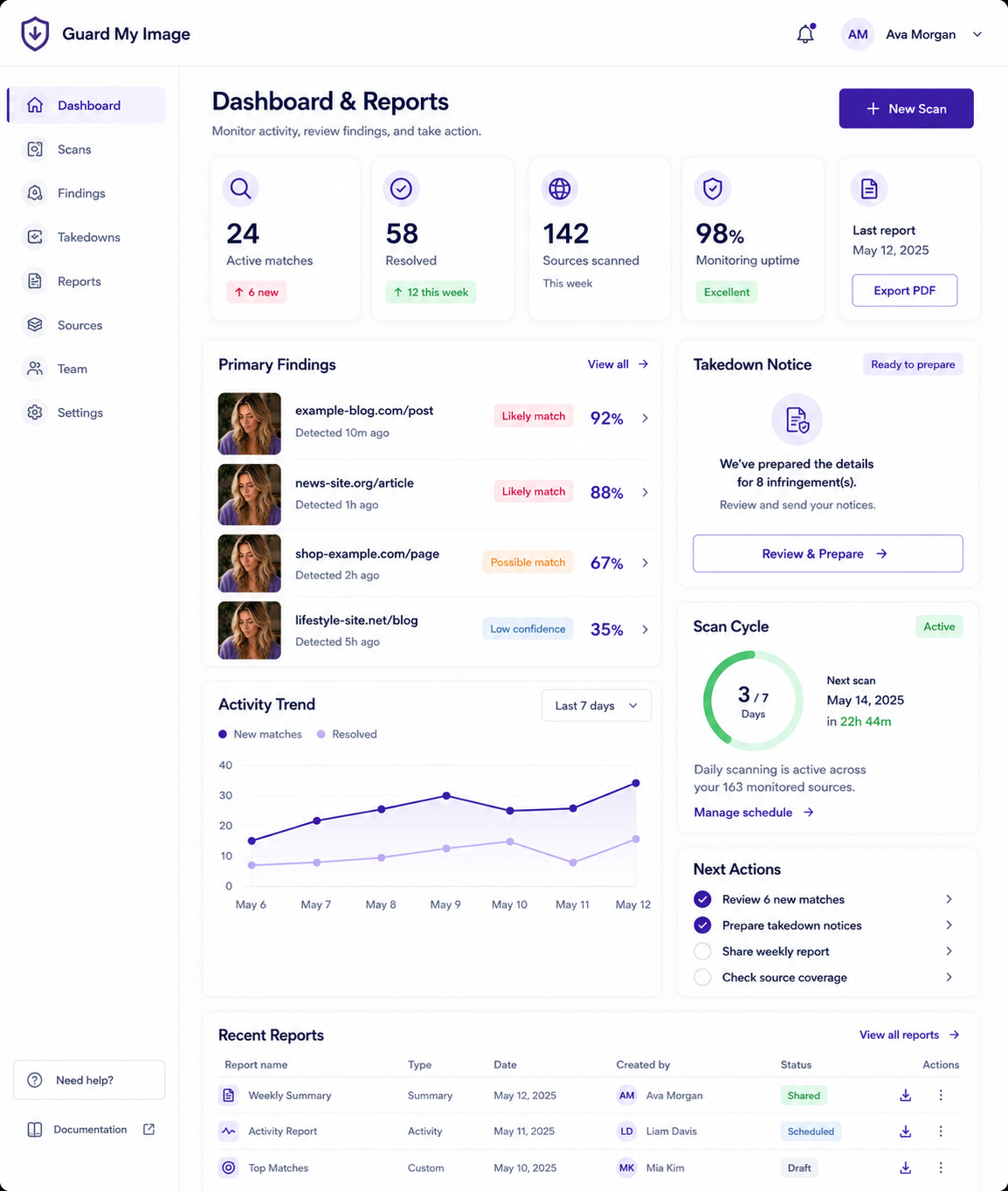
Dashboard overview
Creator and business users need different views, but the underlying workflow is the same: find, review, act, track, and report.
Likely matches awaiting customer or reviewer attention.
Items reviewed and marked as apparent matches.
Takedown or reporting actions moving through the workflow.
Status tracking for outcomes, follow-ups, and unresolved items.
Visibility into ongoing monitoring rather than a one-time lookup.
Items that may require customer review, counsel, or additional action.
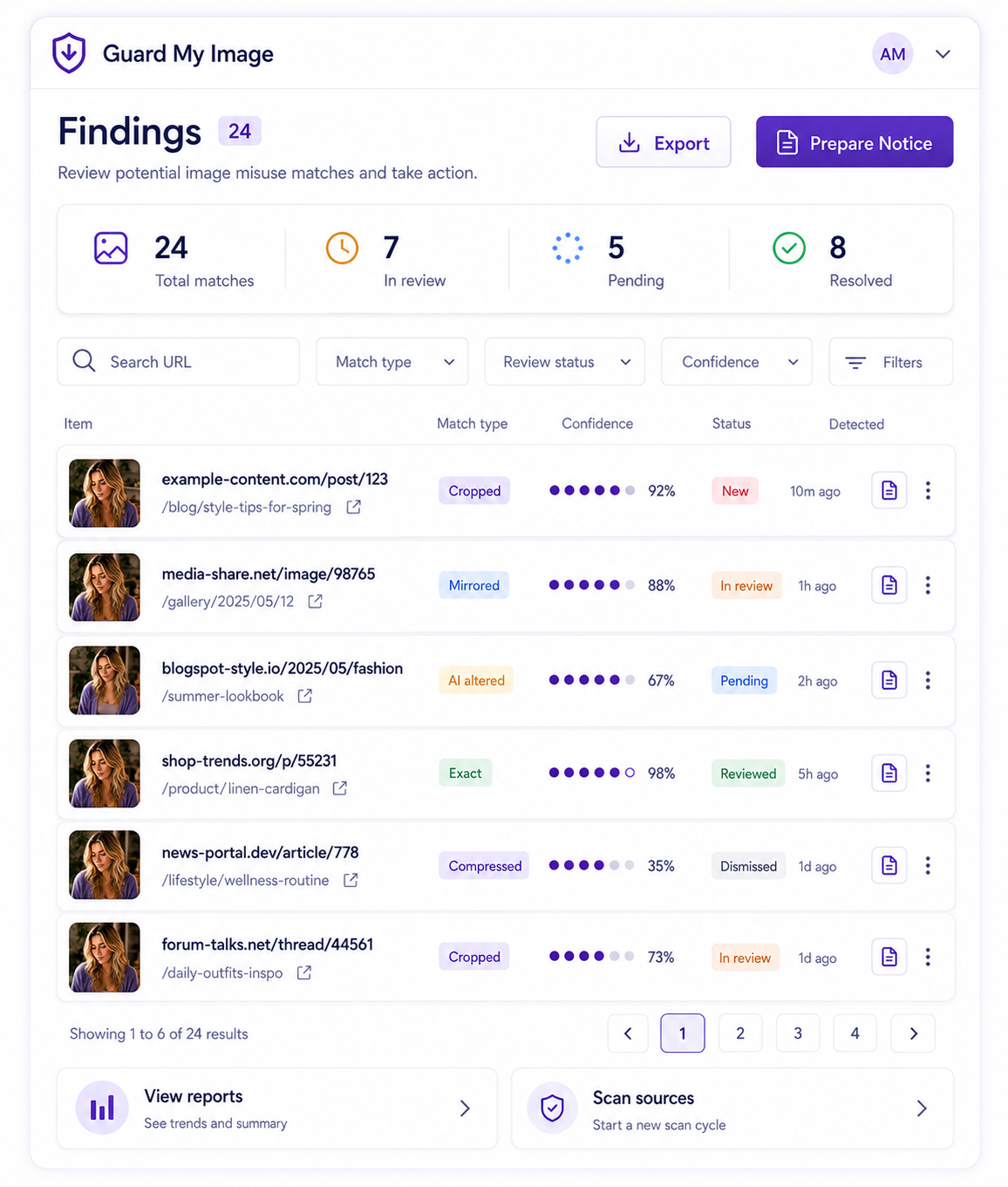
Finding detail
A finding detail view should include source domain, URL, date discovered, match type, evidence snapshot, status, notes, timeline, and recommended next action.
Customers should be able to confirm a match, mark it as not them, ask support, download a report, or request takedown workflow support when eligible.
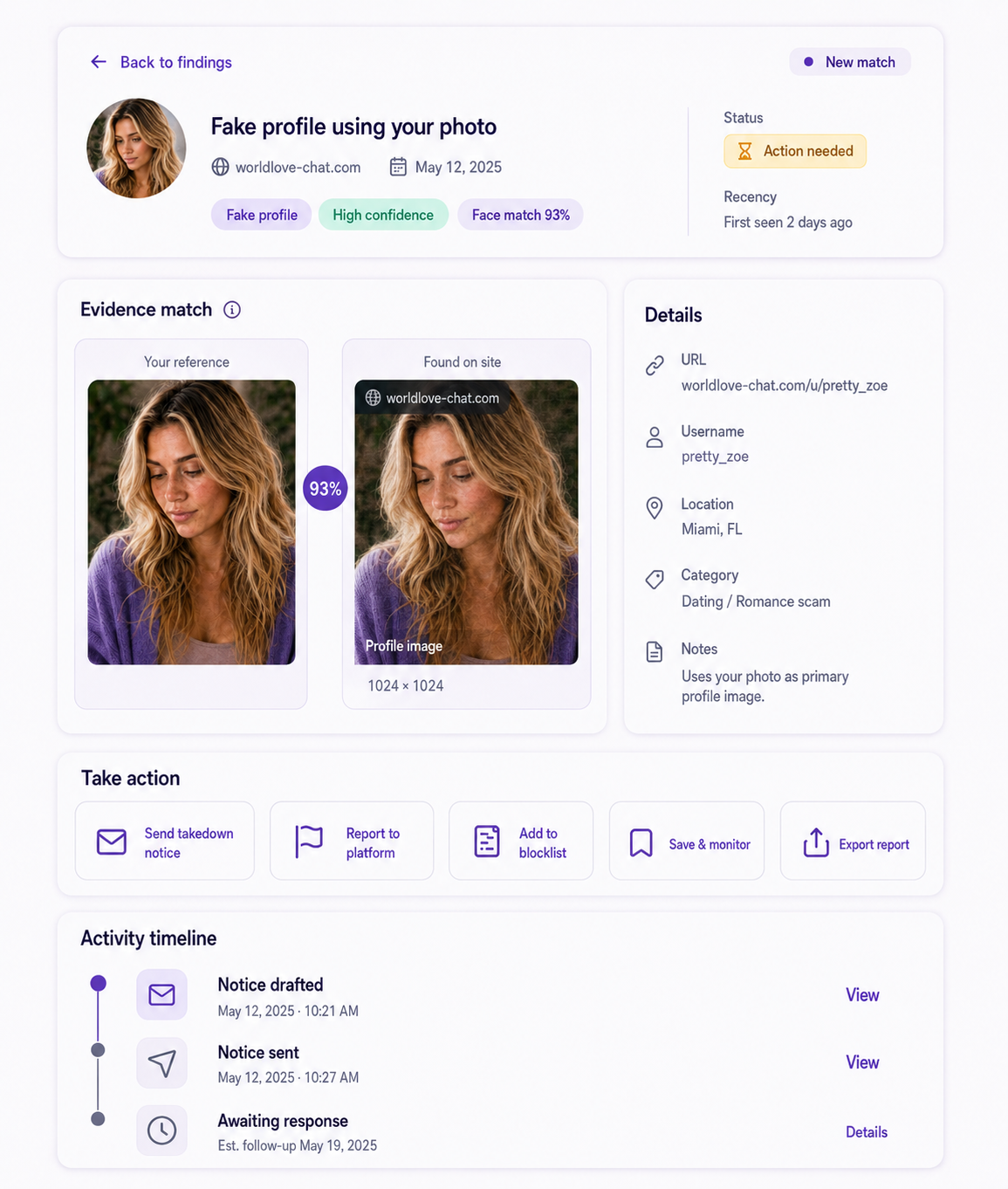
Takedown timeline
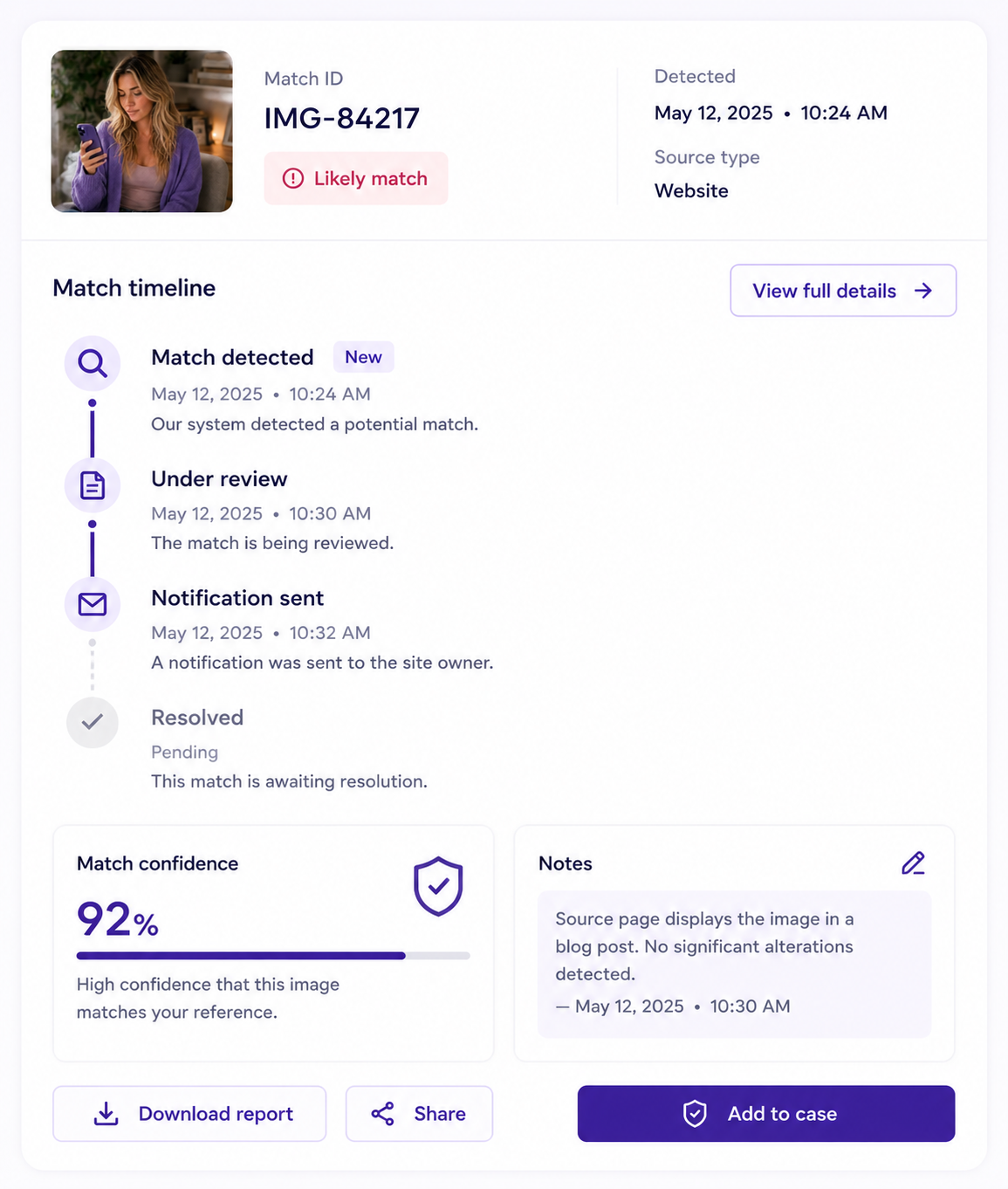
Creator and business views
Next step
Review a synthetic example report with fake data, placeholder URLs, status history, and export concepts.